Creating an organized home office can greatly improve your productivity and make working from home more enjoyable. When your workspace is clutter-free and thoughtfully arranged, it’s easier to focus, find what you need, and maintain motivation throughout your workday. Whether you’re setting up a new office or looking to refresh your current space, these simple tips can help you organize your home office efficiently.
Assess Your Current Workspace
Before making any changes, take a close look at your current setup. Identify areas where clutter tends to build up, which items you use frequently, and what causes distractions. This assessment will guide you in deciding what to keep, what to store elsewhere, and what to remove entirely.
Ask Yourself These Questions:
– Is my desk surface clear enough to work comfortably?
– Are my most-used items within easy reach?
– Do I have a designated place for everything?
– What distractions can I reduce or eliminate?
Answering these will help you prioritize your organization efforts.
Declutter and Purge Unnecessary Items
Decluttering is the first and most important step to organizing a productive workspace. Remove papers, office supplies, and equipment you no longer need. Less clutter means fewer distractions and a more visually calming environment.
How to Declutter Effectively:
- **Clear your desk completely.** Start fresh by removing everything.
- **Sort items into categories:** keep, relocate, donate, and throw away.
- **Organize papers:** file important documents and shred those you don’t need.
- **Limit supplies:** keep only essential tools on hand.
Once your space is decluttered, maintaining it becomes much easier.
Optimize Your Desk Layout
How you arrange your desk can affect your comfort and efficiency.
Desk Organization Tips:
– Place your computer or laptop directly in front of you to encourage good posture.
– Keep everyday tools nearby: pens, notepads, phone charger.
– Use desk organizers or trays to separate items, reducing clutter.
– Leave some open space on your desk for writing or reviewing documents.
– Invest in ergonomic equipment: consider a comfortable chair and adjustable monitor stand.
A well-planned desk setup supports both physical health and mental clarity.
Use Smart Storage Solutions
Storage is key to keeping your office neat and preventing items from piling up on your desktop.
Storage Ideas:
– Shelves and cabinets: Use vertical space to store books and supplies.
– Drawer organizers: Keep small items like paper clips and sticky notes sorted.
– Label bins and boxes: Labels make retrieving items quick and simple.
– Cable management: Use clips or sleeves to keep cords tidy and avoid tangling.
Good storage frees up workspace and keeps everything accessible.
Create Zones for Different Tasks
If possible, design your home office so certain tasks have designated areas.
Example Zones:
– Work zone: Your main desk with computer and supplies.
– Reference zone: Shelving with books, files, or manuals.
– Creative zone: Space with whiteboard or bulletin board for brainstorming.
– Relaxation zone: Comfortable chair for breaks or reading.
Designating zones helps your brain switch focus more easily between tasks.
Implement a Routine to Maintain Organization
Even the best setup requires regular upkeep. Incorporate small habits into your daily or weekly routine to keep your office organized.
Maintenance Tips:
– End each day by clearing your desk.
– Schedule a weekly 10-minute tidy-up session.
– Sort through mail and paperwork immediately when it arrives.
– Reassess your storage needs quarterly.
Consistency will prevent clutter from taking over again.
Personalize Your Space
A workspace that feels welcoming can boost motivation and productivity. Add personal touches without letting them cause clutter.
Ideas for Personalizing:
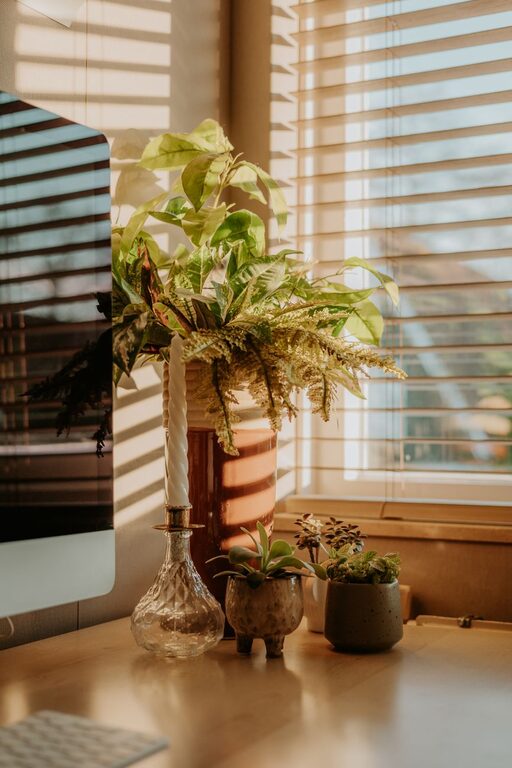
– Place a small plant to bring natural energy.
– Hang inspiring artwork or photos.
– Use colorful organizers that match your style.
– Choose a comfortable lamp with warm lighting.
Personalization makes your home office pleasant and uniquely yours.
Improve Lighting and Air Quality
Good lighting and fresh air also play important roles in productivity.
Tips for Enhancing Your Environment:
– Maximize natural light by situating your desk near a window.
– Use adjustable task lighting to reduce eye strain.
– Open windows regularly or use an air purifier.
– Add a fan if needed for better air circulation.
A bright, fresh room helps keep your energy levels up.
Final Thoughts
Organizing your home office doesn’t have to be complicated or overwhelming. By decluttering, setting up efficient storage, optimizing your desk, and creating a routine to maintain order, you’ll create a space that fosters focus and productivity. Remember, a functional workspace tailored to your needs is key to working comfortably from home.
Start small, tackle one area at a time, and enjoy the benefits of a well-organized home office!