
Creating a home office that balances comfort and functionality can significantly enhance your work-from-home experience. Whether you’re setting up a brand-new space or improving an existing one, the key is to create an environment where you can focus, feel comfortable, and stay organized. Here are some useful tips to help you design a cozy and efficient home office.
1. Choose the Right Location
Consider natural light
Try to pick a spot near a window. Natural light boosts mood and energy levels, making your workspace feel inviting while reducing eye strain.
Minimize distractions
If possible, select a quiet area of your home away from high-traffic zones like the kitchen or living room, so you can concentrate without interruptions.
2. Invest in Comfortable Furniture
Ergonomic chair and desk
A good chair supports your back and promotes good posture. Pair it with a desk at the right height to prevent strain on your wrists and shoulders.
Adjustable options
If you like flexibility, consider a sit-stand desk or an adjustable chair. This allows you to change positions throughout the day, which can improve comfort and health.
3. Optimize Lighting
Combine natural and artificial light
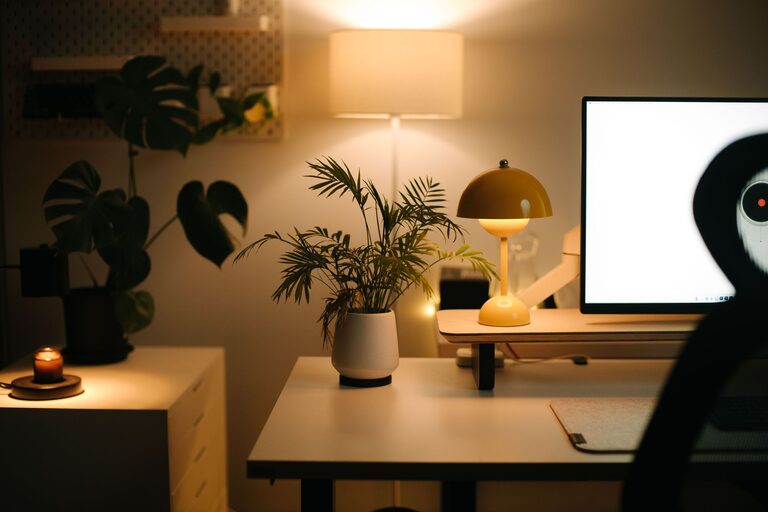
While natural light is ideal, supplement it with task lighting such as a desk lamp for evenings or cloudy days. Choose warm, adjustable lighting to reduce glare and eyestrain.
Avoid screen glare
Position your computer screen perpendicular to windows or light sources to prevent reflections and keep your eyes comfortable.
4. Personalize Your Space
Add cozy elements
Include soft textiles like a rug, cushions, or a throw blanket to warm up the space and make it feel inviting.
Decorate with care
Incorporate plants, artwork, or meaningful objects that inspire you but avoid clutter. A personalized space can boost creativity and make work feel less like a chore.
5. Keep Organized
Storage solutions
Use shelves, drawers, and organizers to keep supplies tidy and within reach. This helps reduce distractions and makes your workflow smoother.
Digital declutter
Organize your computer files and desktop regularly. An uncluttered digital workspace complements your physical setup.
6. Manage Noise Levels
Use noise-canceling headphones
If ambient noise is an issue, noise-canceling headphones can help you focus on work or enjoy calming background music.
Consider soundproofing
Soft materials such as curtains, rugs, and upholstered furniture can absorb sound, making your home office quieter.
7. Set Boundaries Between Work and Rest
Define your workspace
Keep work activities within your dedicated office zone to help your brain distinguish work time from relaxation.
Establish a routine
Starting and ending your workday at set times helps maintain balance and reduces the feeling of being “always on.”
8. Maintain Good Air Quality
Ventilation matters
Fresh air keeps you alert and healthy. Open windows when possible, or consider an air purifier if your space lacks ventilation.
Add greenery
Plants not only enhance aesthetics but improve indoor air quality by filtering pollutants.
9. Use Technology Wisely
Invest in reliable equipment
A fast internet connection, quality headset, and ergonomic keyboard and mouse can boost productivity and comfort.
Cable management
Keep cords and cables neat with clips or sleeves. This reduces clutter and prevents accidents.
—
Creating a cozy and functional home office doesn’t require a complete overhaul. Small changes, thoughtful decisions, and personal touches can transform your workspace into a place where you feel comfortable, focused, and inspired. Try these tips to build the ideal environment that suits your working style and needs.